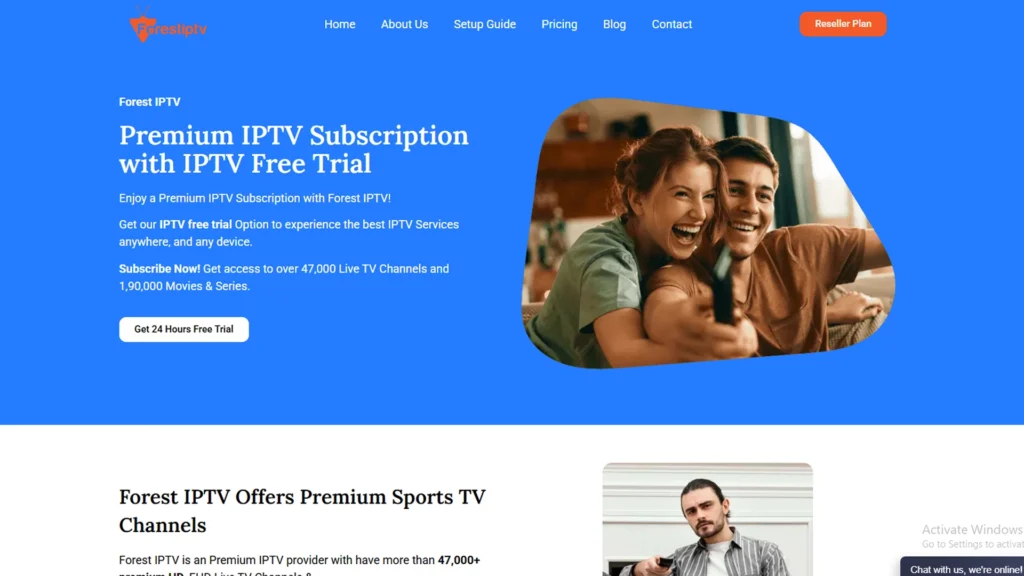
Forest IPTV offers a completely free 24-hour trial with no credit card required. You get full access to 47,000+ live channels, 190,000+ movies and series, HD and 4K streaming, and EPG support the exact same service paying subscribers receive, for zero cost.
Every IPTV provider claims to be the best. Most of them cannot prove it before taking your money. Forest IPTV is one of the few that lets you verify the claim yourself completely free, before paying anything, with no credit card required and no automatic charge when the trial ends.
The Forest IPTV free trial gives you 24 hours of full access to the same service that paying subscribers receive 47,000+ live channels, 190,000+ movies and series, HD, Full HD, 4K, and 8K quality, complete EPG data, sports coverage, PPV events, and 24/7 customer support. Nothing is restricted or throttled during the trial period.
This guide explains exactly what the Forest IPTV free trial includes, how to claim it, how to set it up on every major device, and what to check during your 24 hours to make sure the service meets your needs before committing to a subscription.
What Is the Forest IPTV Free Trial?
Forest IPTV offers a completely free 24-hour trial that gives you full, unrestricted access to the entire service before committing to a paid subscription — not a demo, not a limited preview, but the real thing at no cost. From the moment you activate it, you get instant access to 47,000+ channels, 190,000+ movies and series, and streaming quality spanning HD, FHD, 4K, and 8K, all accompanied by a full electronic programme guide, complete sports and PPV coverage, and 24/7 support — with zero credit card required. When the 24 hours are up, your trial credentials simply stop working on their own: no automatic billing, no hidden charges, no account to cancel. If you love it, you pick a paid plan; if not, you walk away without owing a thing.
Forest IPTV’s growing popularity has made it a target for imposters. Many unrelated IPTV providers are using the “Forest IPTV” name to mislead customers, offering inferior services while trading on the original brand’s reputation.
The one and only official Forest IPTV website is https://forestiptv.com/. Always verify the URL before signing up or making any purchase to ensure you are getting the genuine service, real customer support, and the quality you are paying for.
What Do You Get During the Forest IPTV Trial?
The Forest IPTV free trial provides identical access to the paid subscription. There are no artificial restrictions placed on trial accounts.
- 47,000+ Live TV Channels: The complete channel library US, UK, Canadian, and international is available during the trial. This includes all major broadcast networks (NBC, ABC, CBS, Fox, BBC, ITV, CBC, CTV), sports channels (ESPN, Sky Sports, TNT Sport, TSN, Sportsnet), news networks, premium entertainment channels, and international content from across the globe.
- 190,000+ Movies and Series (VOD): The full video on demand library is accessible during the trial. Browse by genre, search by title, or explore new releases every VOD title available to paying subscribers is available to trial users.
- HD, FHD, 4K and 8K Quality: Stream quality is not throttled during the trial. If you have a 4K television and a fast internet connection, 4K streams during the trial deliver the same bitrates as a paid subscription. This is important some providers deliberately reduce quality during trials to save server costs, then upgrade quality after payment. Forest IPTV does not do this.
- Full EPG (Electronic Programme Guide): The complete electronic programme guide is included. In TiviMate, this means a full cable-style grid showing current and upcoming programming across all channels including UK, US, and Canadian scheduling data — with real-time updates.
- Sports and PPV Events: All sports channels and PPV event coverage included in the paid subscription are available during the trial. If a UFC fight card, Premier League match, or NFL game falls within your 24-hour trial window, you can watch it in full.
- 24/7 Customer Support: The support team is available during the trial period not just for paying subscribers. If you encounter a setup issue during your trial, the same 24/7 WhatsApp and live chat support available to paid users is accessible to you.
How to Get the Forest IPTV Free Trial (Step by Step)
Claiming the Forest IPTV free trial takes under two minutes:
- Step 1 (Visit the Forest IPTV website): Go to forestiptv.com on your phone, tablet, or computer.
- Step 2 (Find the free trial option): On the homepage, look for the free trial or “Get Free Trial” option. Forest IPTV makes the trial claim process straightforward without requiring navigation through multiple pages.
- Step 3 (Complete the brief registration): Enter your email address. No payment information, no credit card details, and no billing address are required. The registration asks only for the minimum information needed to send your trial credentials.
- Step 4 (Check your email): Within minutes of completing registration, Forest IPTV sends your trial credentials to the email address you provided. The email includes: – Server URL – Username – Password – M3U playlist URL (alternative connection method) – Setup guide links for your preferred device.
- Step 5 (Set up on your device): Use the credentials from your email to connect Forest IPTV to your preferred IPTV player. The setup process for each major device is covered in detail in the sections below.
Your 24-hour trial period begins when your credentials are activated not from the moment you register, giving you time to complete the setup before your trial clock starts running.
Forest IPTV Regular Pricing
If your trial confirms Forest IPTV meets your needs, these are the available paid plans:
| Plan | 1 Device | 2 Devices | 3 Devices |
|---|---|---|---|
| 1 Month | $15 | $25 | $35 |
| 3 Months | $25 | $45 | $65 |
| 6 Months | $45 | $70 | $100 |
| 12 Months | $45 | $110 | $150 |
The annual single-device plan at $65 works out to $5.42 per month — less than most people spend on a single streaming service, for a content library that covers live TV, sports, and on-demand content in volumes that no individual streaming service can match.
The money-back guarantee on every paid plan extends your real-world testing period significantly beyond the free trial. Even after subscribing, you have 7 to 45 days to request a full refund if the service does not continue to meet your expectations.
Forest IPTV Free Trial vs Paid Subscription: What Changes?
Nothing changes in terms of content or quality. The only difference between the free trial and a paid subscription is the duration.
| Feature | Free Trial | Paid Subscription |
|---|---|---|
| Duration | 24 hours | 1, 3, 6, or 12 months |
| Channel access | Full (47,000+) | Full (47,000+) |
| VOD library | Full (190,000+) | Full (190,000+) |
| Stream quality | Unrestricted (HD/4K/8K) | Unrestricted (HD/4K/8K) |
| EPG | Full | Full |
| Sports and PPV | Full | Full |
| Customer support | Full 24/7 | Full 24/7 |
| Credit card required | No | Yes (for payment) |
The identical service quality between trial and paid subscription means there are no surprises after subscribing. What you test during the 24-hour trial is exactly what you get every day as a subscriber.
How to Set Up Forest IPTV Free Trial
Firestick Device
The Firestick setup uses TiviMate the best IPTV player available for Amazon Fire TV devices. If you prefer a simpler setup, IPTV Smarters Pro is available directly in the Amazon App Store and requires no side loading.
Step 1: Go to Settings on your Firestick, then My Fire TV, then Developer Options. Enable Apps from Unknown Sources and ADB Debugging.
Step 2: Search for Downloader in the Amazon App Store and install it. This free app lets you download and install APK files on your Firestick.
Step 3: Open Downloader and enter the TiviMate APK URL from tivimate.com. Download and install TiviMate when prompted.
Alternatively, search for IPTV Smarters Pro directly in the Amazon App Store it installs in one step without any sideloading.
Step 4: Open TiviMate and select Add Playlist, then Xtream Codes. Enter the server URL, username, and password from your Forest IPTV trial email. Your full channel list, VOD library, and EPG load automatically within one to two minutes.
For IPTV Smarters Pro: Open the app, select Add User, choose Login with Xtream Codes API, and enter the same three credentials.
Step 5: Navigate to the sports section for a live channel test, the VOD section for a movie or series test, and the EPG for a schedule accuracy check. All three within the first 30 minutes gives you a solid early picture of service quality.
Samsung Smart TV
Samsung Smart TVs use either IPTV Smarters Pro or SS IPTV both available in the Samsung App Store without any sideloading required.
Step 1: Press Home on your Samsung remote, navigate to Apps, search for IPTV Smarters Pro, and install it. If IPTV Smarters Pro is not available in your regional store, search for SS IPTV instead.
Step 2: Open IPTV Smarters Pro, select Add User, choose Login with Xtream Codes API, and enter your Forest IPTV trial credentials. Your channels and VOD library load automatically.
Step 3: Go to Settings, then Playlist, then Add Playlist. Select M3U URL and paste the M3U URL from your Forest IPTV trial email. Add your EPG URL in the EPG section separately.
Step 4: If possible Samsung Smart TVs from 2018 onwards have a built-in Ethernet port on the back panel. Connecting directly to your router by cable delivers the most stable streams during your trial test particularly important for evaluating 4K quality.
Android iPhone and Windows Device
- iPhone and iPad: Download IPTV Smarters Pro from the Apple App Store. Open the app, tap Add User, select Login with Xtream Codes API, and enter your Forest IPTV trial credentials. Your channels and VOD content load within 30 to 60 seconds.
- Android: Download IPTV Smarters Pro or TiviMate from the Google Play Store. Connect your trial credentials via the Xtream Codes option in either app.
- Android TV Box (Nvidia Shield, Xiaomi Mi Box, etc.): Install TiviMate from the Google Play Store directly. Enter your Forest IPTV trial credentials via the Xtream Codes option. TiviMate on Android TV delivers the same full cable-style EPG experience as it does on Firestick.
- Windows PC: Download IPTV Smarters for Windows from the official IPTV Smarters website. Connect your Forest IPTV trial via the Xtream Codes login option.
Is Forest IPTV Free Trial Worth It?
Without a trial, you pay $15 or more and hope the service performs as advertised. You have no way to verify local channel availability, no test of peak-hours performance, and no confirmation that the app works correctly on your specific device before money changes hands.
With the Forest IPTV free trial, you test everything that matters channel availability, stream stability during peak hours, 4K quality on your actual television, VOD library depth, and support responsiveness — before paying a single dollar. The 24 hours is enough time to run every meaningful test if you use it deliberately.
For viewers in the USA, the trial lets you confirm all your local affiliates, ESPN, Fox Sports, and NFL Network are present and streaming cleanly before committing.
For UK viewers, the trial confirms BBC, ITV, Sky Sports, and TNT Sport are available with accurate UK EPG data before you cancel Sky.
For Canadian viewers, the trial confirms CBC, CTV, TSN, Sportsnet, and French-language channels are all present before you drop Bell or Rogers.
The Forest IPTV free trial is not a marketing tool designed to give you just enough access to want more. It is a complete service evaluation period that removes every reason not to try before you buy.
FAQs Forest IPTV Free Trial 2026
-
How do I get the Forest IPTV free trial?
Visit forestiptv.com and find the free trial option on the homepage. Enter your email address — no credit card or payment information is required. Your trial credentials arrive by email within minutes and give you 24 hours of full access.
-
Does the Forest IPTV free trial require a credit card?
No. The Forest IPTV free trial requires only an email address. No payment information of any kind is needed to claim the trial.
-
How long does the Forest IPTV free trial last?
The Forest IPTV free trial lasts 24 hours from activation. This is enough time to test channel quality, stream stability during peak hours, 4K performance, VOD library depth, and customer support responsiveness.
-
What channels are included in the Forest IPTV free trial?
The full channel library all 47,000+ live channels — is available during the trial. This includes every channel that paying subscribers access: US, UK, Canadian, and international channels, sports networks, news, premium entertainment, and more.
-
Is the stream quality restricted during the Forest IPTV free trial?
No. Stream quality during the trial is identical to the paid subscription HD, Full HD, 4K, and 8K channels are all available without restriction.
-
What happens when the Forest IPTV free trial ends?
Your trial credentials stop working automatically after 24 hours. There is no automatic charge, no credit card to cancel, and no action required on your part. If you want to continue watching, you choose a paid plan at https://forestiptv.com/.
-
Can I get more than one Forest IPTV free trial?
The free trial is intended for new users evaluating the service. Attempting to claim multiple trials using different email addresses is against the service terms.
-
What devices does the Forest IPTV free trial work on?
The trial credentials work on every device that the paid subscription supports Amazon Firestick, Android TV boxes, Samsung Smart TV, LG Smart TV, Apple TV, iPhone, iPad, Android, Windows PC, and Mac.
-
Which IPTV player should I use for the Forest IPTV free trial?
TiviMate is the recommended player for Firestick and Android TV users — it delivers the best EPG and multi-view experience. IPTV Smarters Pro is the recommended alternative for Samsung TV, iPhone, iPad, and multi-platform households.
-
What is the best way to use the Forest IPTV free trial?
Test during peak evening hours. Watch a live sports event if one falls within your 24-hour window. Check your local channels, your main sports networks, and the VOD library. Contact support once to test response speed. These four tests give you a complete picture of the service before deciding whether to subscribe.
-
Does Forest IPTV offer a money-back guarantee after the trial?
Yes. All paid plans come with a money-back guarantee — 7 days for the monthly plan, 15 days for 3 months, 30 days for 6 months, and 45 days for the annual plan.
Final Verdict
The Forest IPTV free trial is one of the most straightforward risk-removal offers in the IPTV market. No credit card, no restricted access, no demo server that performs better than the real thing just 24 hours of the complete service, delivered to your device in minutes, at zero cost.
For new IPTV users deciding between providers, the trial answers every question that matters before money is involved. For cable subscribers considering the switch, it lets you watch a full evening of your regular channels on your preferred device before making any decision about cancelling your existing subscription.
The annual plan at $65, $5.42 per month is available the moment your trial convinces you. The 45-day money-back guarantee on that plan means the commitment carries no more risk than the free trial itself.